

Best Free IPTV Players in 2026: Apps for TV, Mobile & Windows
Compare IPTV players by device, playlist support, features and pricing. This visual guide includes real app screenshots from developer websites, official GitHub project pages and app-store listings, with direct links to the official download or project page.
Our recommended IPTV players
These are the best starting points to compare for a modern TV interface, playlist compatibility and device support.
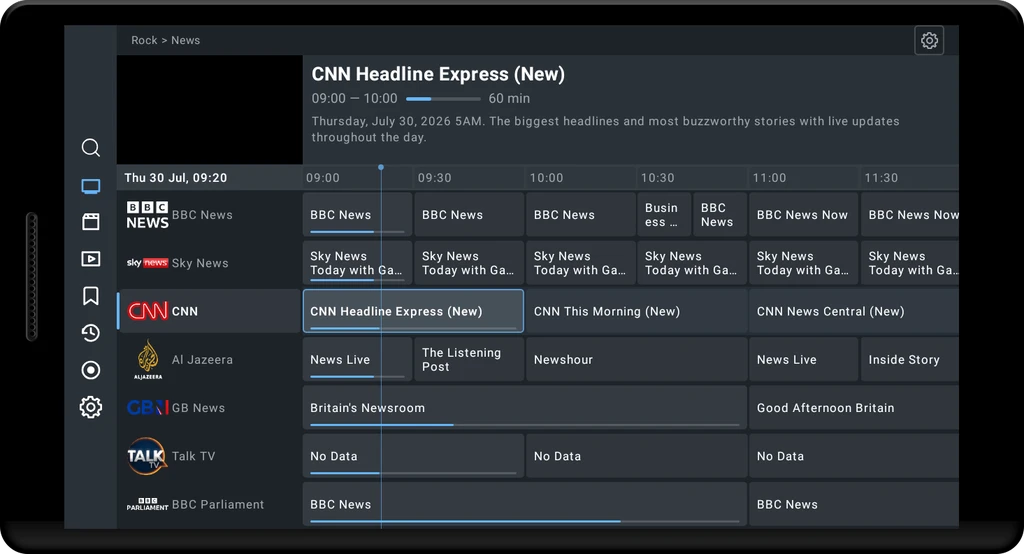
1. TubPlayer
Completely free
Built for Android TV and remote navigation. The developer says it is free without subscriptions or limits. Features include live TV, EPG, catch-up, movies, series, favourites, parental controls and cloud backup.
- What stands out: broad feature set for a free TV-first app, including guide data, catch-up and cloud backup.
- Best for: viewers who mainly use a television remote and want live channels plus an on-demand library in one interface.
- Check before installing: confirm the current download route and whether your playlist provider supports the connection method you plan to use.
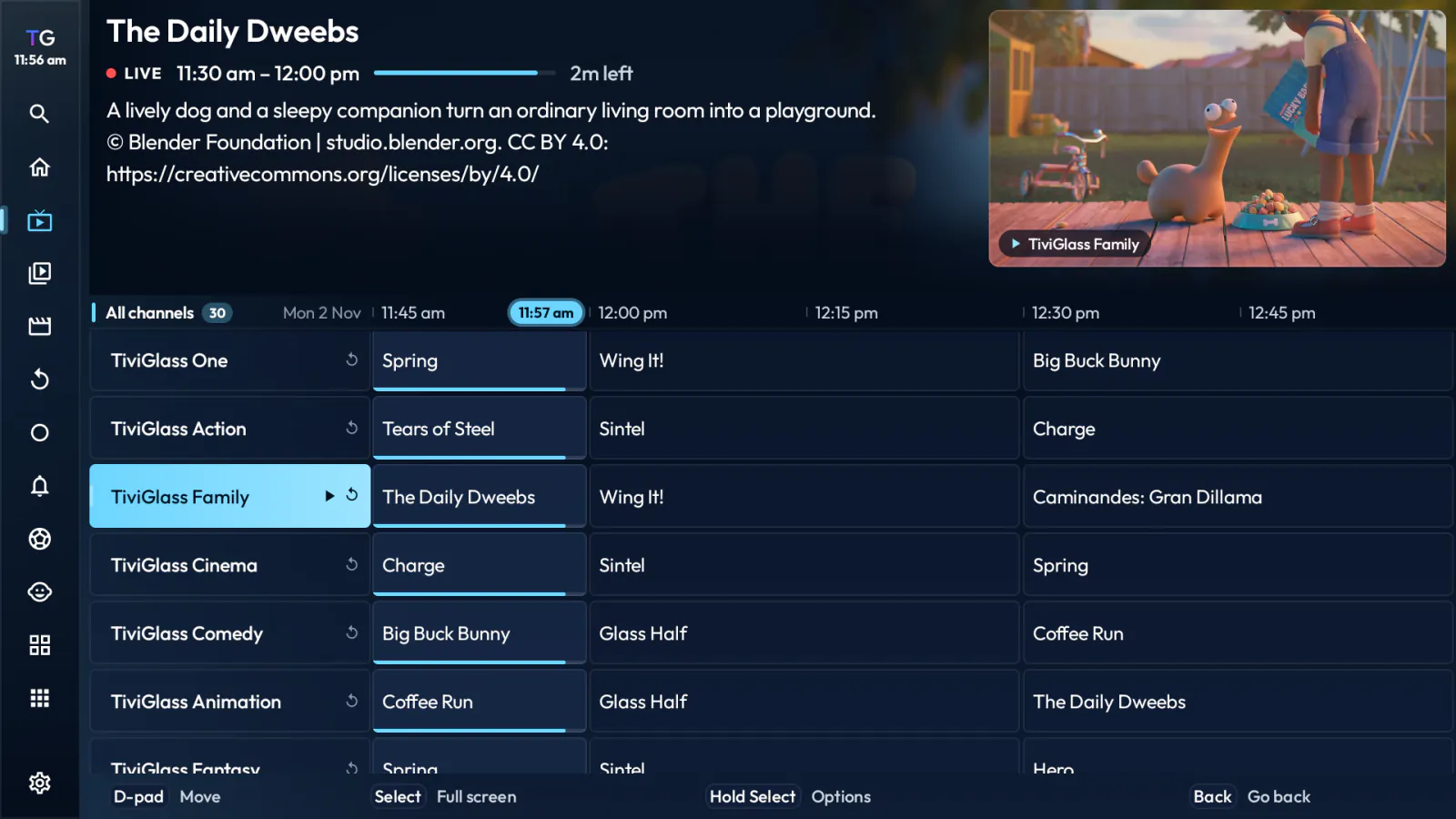
2. TiviGlass
Free + Premium
A clean TV guide and media-library layout. The free version includes live TV, the guide, movies, shows and catch-up. Premium adds features such as recording, cloud sync, multiview and advanced playback.
- What stands out: a polished electronic programme guide and separate live-TV, movie and series areas.
- Best for: Android/Google TV users who want a modern interface and may later consider premium extras.
- Trade-off: some advanced functions are reserved for Premium; review the current plan details before paying.

3. Nerdy Popcorn
Free mode + trial
TV-focused player with a fast guide, VOD artwork, catch-up, multiview, sports matching and cloud sync. Its free mode does not expire; new accounts receive a seven-day full-access trial for one device. Paid plans unlock full access across up to five devices.
- What stands out: a TV-oriented layout with programme discovery, catch-up and multi-view features.
- Best for: users who want to test the free mode first and evaluate the broader feature set during the trial.
- Trade-off: full-access trial and paid-plan terms may differ from the permanent free mode; check current conditions on the developer site.

4. OTT Navigator
Free / Premium · ads
A long-running Android IPTV player with extensive customisation, multiple playlists, EPG, catch-up, picture-in-picture and a media library. It is ad-supported; premium features and ad-free use may require an upgrade.
- What stands out: extensive interface controls, playlist organisation, filters and detailed guide customisation.
- Best for: experienced Android users who want to fine-tune how channels and programme information are displayed.
- Trade-off: its many settings can feel complex for first-time users; the free app is ad-supported and some functions may require Premium.

5. iMPlayer
24-hour trial · paid Premium
An advanced multi-device player with live TV, VOD, EPG, catch-up, recording, downloads, cloud management and customisation. The developer advertises a 24-hour trial; ongoing Premium access is paid.
- What stands out: advanced playback and library tools, with cloud-oriented management and customisation.
- Best for: users who value a feature-rich experience across supported devices and are comfortable with a paid licence.
- Trade-off: it is not a fully free long-term option; verify which licence covers each device before purchasing.
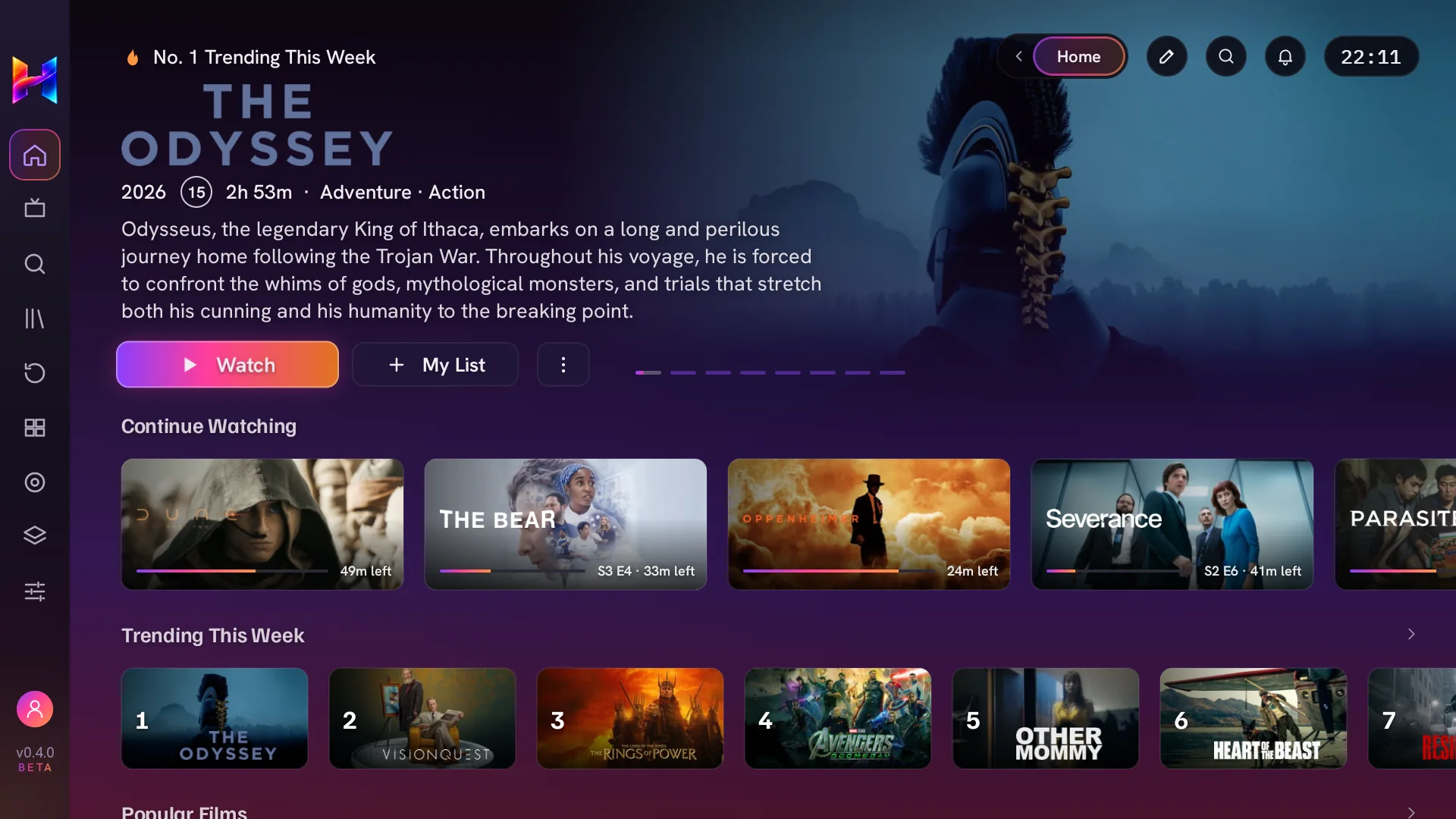
6. Haven IPTV Player
Free beta · no ads
Haven is a free media player for films, series and live TV. It uses Stremio-compatible add-ons and can connect to Plex, Jellyfin and Emby. It is not a conventional M3U/Xtream login player, so check its source model before choosing it for a standard IPTV subscription.
- What stands out: an add-on and personal-media-server approach rather than the usual playlist-login workflow.
- Best for: viewers using compatible Stremio add-ons or personal libraries on supported TV devices.
- Important distinction: do not choose Haven expecting a standard M3U URL or Xtream Codes login unless the developer adds that support.
Free IPTV players for Windows and desktop
These are dedicated desktop options found through GitHub and official project websites. ynoTV belongs in the Windows section—not in the Android TV list.

7. ynoTV
Free · open source
A feature-rich Windows IPTV player built with Tauri and mpv. Supports M3U, Xtream Codes and Stalker portals, EPG preview, VOD, sports views, stream checking, multiview, catch-up, recording/DVR and integrations with Stremio and Nuvio.
- What stands out: native desktop playback built around mpv, with support for several common IPTV source types and advanced viewing tools.
- Best for: Windows users who want a dedicated desktop application rather than running a mobile app in an emulator.
- Technical note: check the latest release notes and Windows requirements; open-source licensing and active development status matter if you plan to use it regularly.
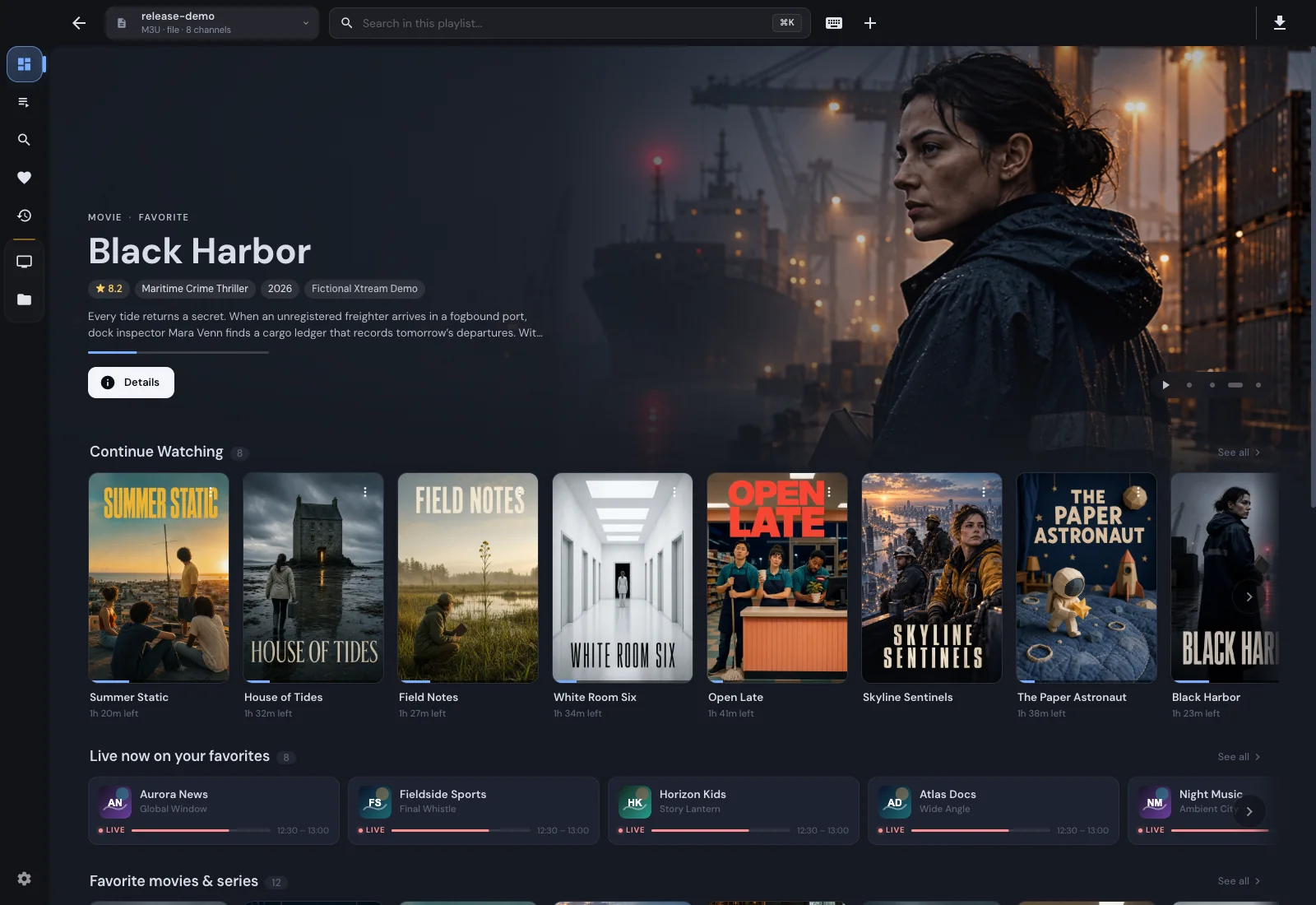
8. IPTVnator
Free · open source
A cross-platform IPTV player with M3U/M3U8, Xtream Codes and Stalker support. Includes channel groups, search, favourites, XMLTV/EPG, catch-up, VOD libraries, downloads and a self-hosted browser option.
- What stands out: cross-platform availability, channel grouping, search, favourites and XMLTV programme-guide support.
- Best for: users who switch between Windows, macOS, Linux or a browser-based setup.
- Technical note: the project is open source under MIT; consult its current release page for the recommended installation package and known issues.
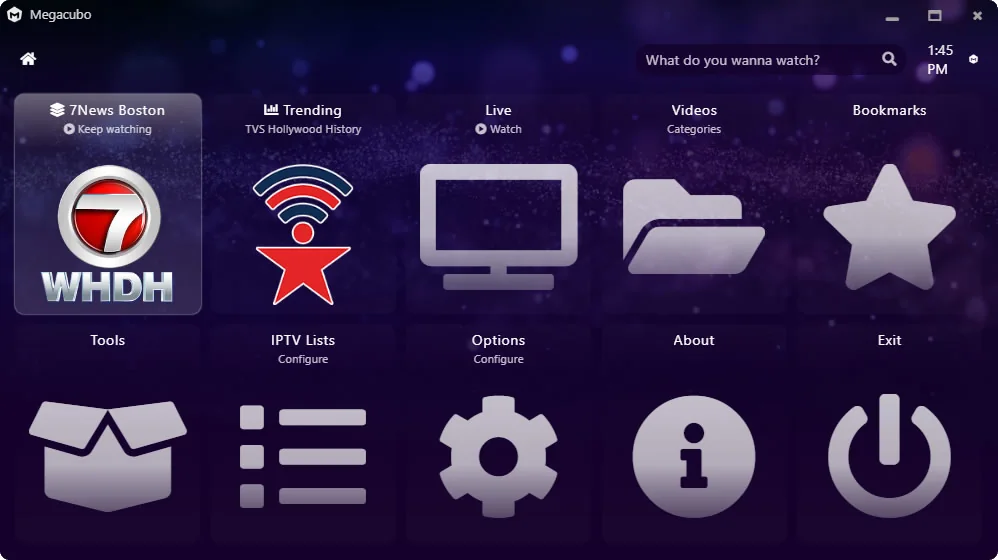
9. Megacubo
Free · open source
A free M3U/IPTV player with a programme guide, bookmarks, history and miniplayer. Optional Premium adds recording, downloads, scheduled recordings and casting.
- What stands out: a relatively straightforward M3U-focused experience with programme guide, bookmarks, history and a mini-player.
- Best for: desktop users who prefer a familiar all-in-one player and may want optional recording or casting features.
- Trade-off: some advanced tools are part of Premium; compare the free feature set with your actual needs.
Players for Apple devices
Some of the players above also have Apple versions. Check the current App Store listing for regional availability and in-app purchases.
Quick comparison
Use this as a starting point; device support and pricing can change between releases.
| Player | Best fit | Pricing type | Official link |
|---|---|---|---|
| TubPlayer | Android TV / compatible Fire TV | Completely free | Website |
| TiviGlass | Android TV / Fire TV | Free core + Premium | Website |
| Nerdy Popcorn | Android TV / Fire TV | Free mode + trial / paid plans | Website |
| OTT Navigator | Android / Android TV / Fire TV | Ad-supported + Premium | FAQ |
| iMPlayer | Android / Apple devices | Trial + paid Premium | Website |
| Haven IPTV Player | Android TV / Fire TV / Web | Free beta | Website |
| ynoTV | Windows | Free / open source | GitHub |
| IPTVnator | Windows / macOS / Linux / Web | Free / open source | Website |
| Megacubo | Windows / macOS / Linux / Android | Free + optional Premium | Website |
More community and platform-specific players
These were also included in our wider research list. Use the official project page or app listing to confirm the exact app, current release and pricing before installing.
How to set up an IPTV player
The exact screens differ by app, but the normal setup process is similar.
- Install the player from its official website, verified app store listing or GitHub release.
- Open the app and choose the connection option supported by your provider, such as M3U playlist, Xtream Codes or a supported portal.
- Enter your authorised playlist URL or login details carefully. Avoid sharing credentials in screenshots or public forums.
- If your provider supplies an EPG/XMLTV address, add it in the programme-guide settings and refresh the guide.
- Test a few channels and check audio, subtitles, time zone, playback format and catch-up availability.
- Save a backup of your playlist settings securely. Do not install unknown APKs or executables from unofficial download sites.
Installation, privacy and safety
- Download from the developer’s own website, official app store or verified GitHub release page.
- Check the exact app publisher. Similar app names do not necessarily mean the same product.
- Review app permissions, privacy policies, update history and licensing terms.
- Keep playlist URLs, Xtream credentials and portal details private.
- Open-source does not automatically mean unrestricted commercial use. For example, Lumora’s repository specifies a non-commercial licence.
- Only add playlists and streaming services you are authorised to access.
Frequently asked questions
Which free IPTV player should I try first?
For Android TV, start by comparing TubPlayer and TiviGlass. Nerdy Popcorn is another option with a no-expiry free mode and a seven-day full-access trial. On Windows, ynoTV and IPTVnator are strong open-source desktop choices.
Is OTT Navigator completely free?
OTT Navigator has a free version, but its Google Play listing says it contains ads and the app also offers in-app purchases. Confirm the current Premium features in its official FAQ.
Is Haven the same as a traditional M3U IPTV player?
No. Haven focuses on Stremio-compatible add-ons and personal media servers such as Plex, Jellyfin and Emby. It is not a standard Xtream Codes or M3U login client.
Does an IPTV player include channels?
Generally no. The player displays sources you add. You need your own authorised playlist or media source.
Which Windows IPTV players are worth testing?
ynoTV, IPTVnator and Megacubo are dedicated desktop options. AndyTV, Onyx and Klipa Desktop are additional GitHub projects at different stages of development.
Why do some apps have screenshots and others only links?
The visual cards use screenshots published by the developer’s website, official GitHub project or app-store listing. Where we could not verify an official app screenshot, we have not substituted an unrelated image or generated a fake interface.
Final thoughts
The best IPTV player depends on your device, playlist format, desired features and budget. TubPlayer and TiviGlass are worth comparing for Android TV and Fire TV. Nerdy Popcorn and OTT Navigator offer different feature and pricing models. For Windows, ynoTV and IPTVnator stand out as dedicated desktop projects, while Megacubo offers a straightforward cross-platform option.
Screenshots are linked from the respective developers’ websites, official project pages or app-store listings. App features, pricing, device support and beta availability can change; check the official links before installing. This article is an independent compatibility guide, not an endorsement of any IPTV service.
